

When you need a Detail Request
Anatomy
Click the + under the Data Request node (Add Detail Request) to add one. The editor canvas then shows both nodes: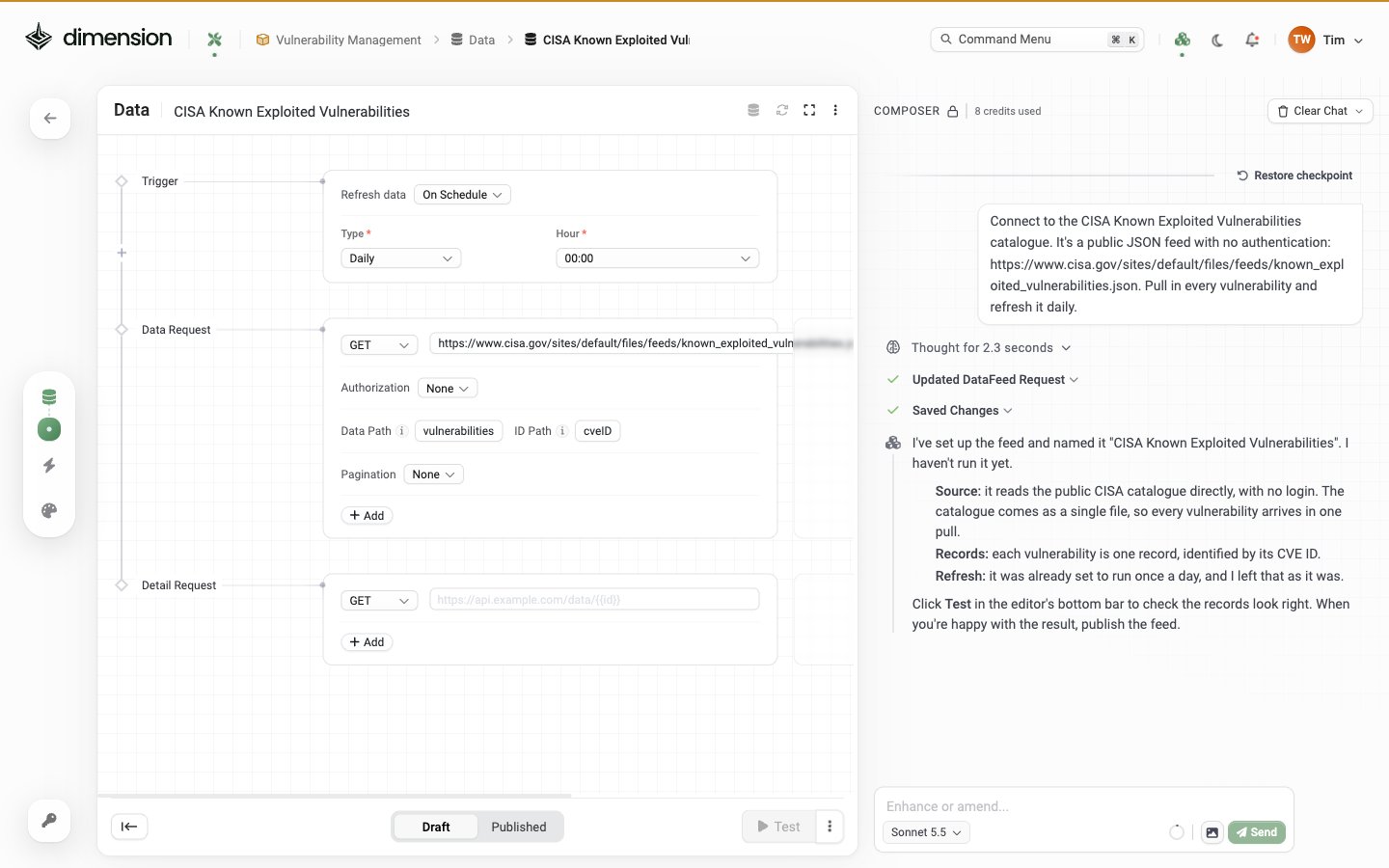
{{variable}} interpolation from values captured on the primary Data Request.
Variables you can interpolate
The Detail Request URL, params, and body can interpolate any variable captured from the primary Data Request via the Capture Variables section. The implicit default capture is the ID (from the ID Path on the primary). The variable name isid:
Variables work in the URL, Headers, Params, and Body of the Detail Request — anywhere you can type,
{{var}} interpolates.
Worked example — GitHub repos + their branches
Primary endpoint returns a list of repos:GET /repos/{owner}/{repo}/branches.
Configuration:
Composer prompt:
Worked example — Slack users + their profiles
Slack’susers.list returns thin records; users.profile.get returns the full profile.
Note how Slack uses a query param for the user, not a URL path segment —
Params section handles this.
Worked example — Jira issues + their changelogs
Jira returns issues thin;/issue/{key}?expand=changelog returns each with its full history.
Concurrency and rate limits
For rate-sensitive APIs, ask Composer to throttle the Detail Request rate or add a per-call delay.Combining detail data with the primary record
After both requests run, each output record exposes the primary fields plus whatever the Detail Request returned for that record. You can ask Composer how to merge or flatten the detail data into the primary record when wiring the feed into a Studio app:Debugging
Detail Request firing but returns nothing useful
Check ⋯ → Advanced → Request History to see the actual URLs being called. The variable interpolation may be producingundefined if the Capture Variable JSONPath is wrong.
Detail Request fires once but should fire per record
Make sure the primary Data Path points at an array, not the root object. If you’re getting a single record, the Detail Request only runs once.Detail Request 401 but primary 200
You probably skippedInherit from parent. Set Detail’s Authorization to Inherit from parent so it reuses the primary credentials.
Sync is suddenly slow
Detail Requests multiply the request count by N (records). If primary returns 5,000 records and Detail Request is enabled, that’s 5,001 outbound calls per sync. Either:- Reduce primary record count via filters
- Disable Detail Request and use a single richer primary endpoint if the source offers one
- Lower the sync cadence
When to skip Detail Requests entirely
See also
Data Feeds Overview
The full editor anatomy with Trigger + Data Request + Detail Request
Schema & Fields
Capture Variables, JSON paths, and field-type inference
JSON Path Reference
Worked JSONPath examples for every field
Sync & Freshness
Schedules, Request History, and recovery